Geometry
Lab setup
First, make sure you have completed the initial setup.
If you are part of a course
-
Open Terminal. Run the update command to make sure you have the latest code.
$ mwc update -
Move to this lab's directory.
$ cd ~/Desktop/making_with_code/mwc1/unit3/lab_geometry
If you are working on your own
-
Move to your MWC directory.
$ cd ~/Desktop/making_with_code -
Get a copy of this lab's materials.
git clone https://git.makingwithcode.org/mwc/lab_geometry.git
Work in progress. This lab isn't finished yet -- it's included here so it can be worked on, not because it's ready to assign.
Note: the lab text is now drafted (magic methods, other vector methods, the tick model, gravity and collisions). Standards alignment beyond the existing 9-12.CT.5 tag, including a csta2026 pass, is still worth doing now that there's real content to judge it against -- just hasn't been done yet.
In this lab we will use object-oriented programming to work with ideas from geometry, specifically points, vectors, and lines. Much of the complexity of computer graphics, including realistic games, is created through simulations of the real world. The math behind phenomena such as objects colliding or light bouncing around a room is surprisingly simple; it's just applied very quickly, to many particles at the same time.
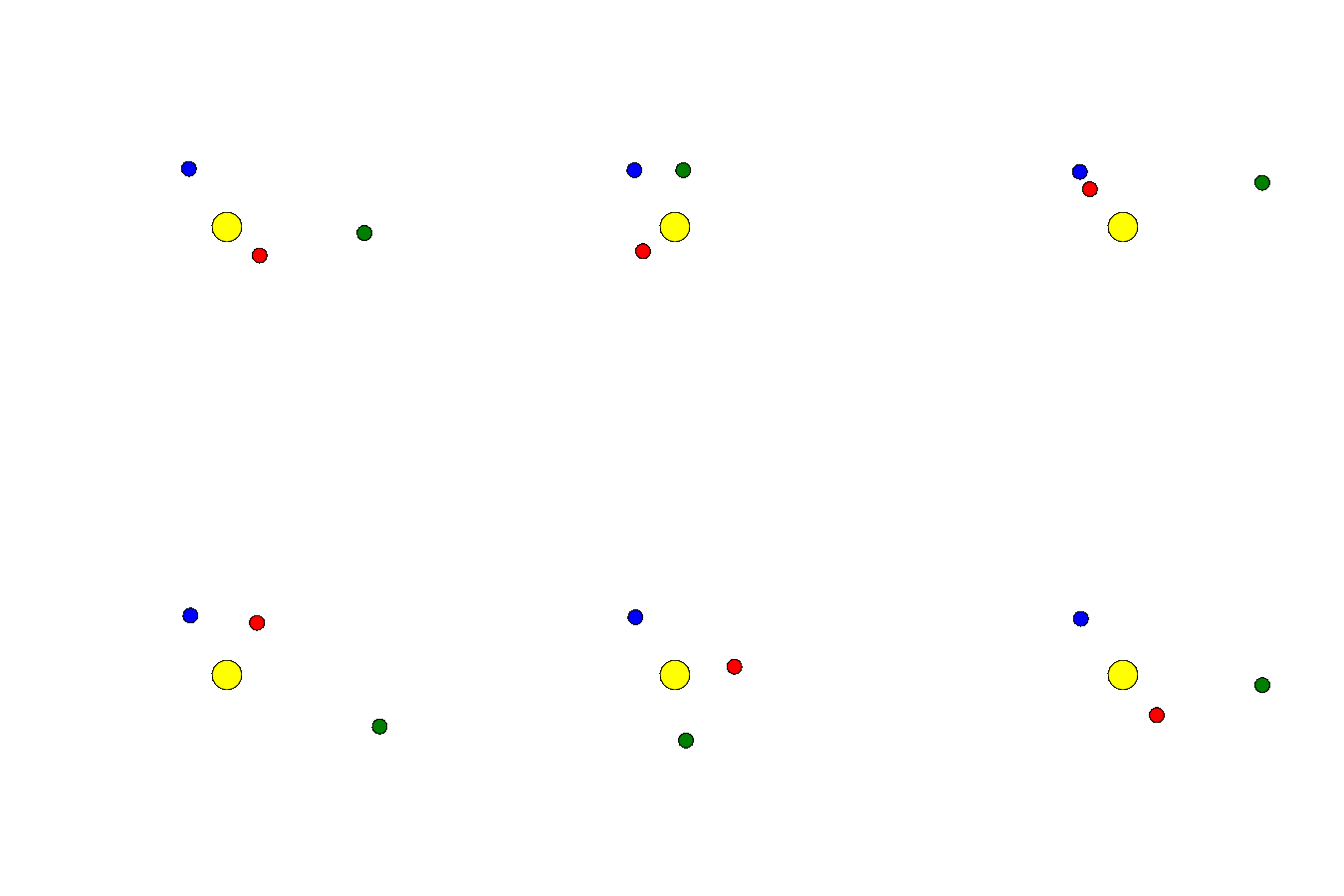
For example, here's a simple model of a solar system we'll build in this lab:
Points and Vectors
A point is a location in space. We'll be working in two dimensions in this lab,
so every point will be represented by an ordered pair like (10, 20) or (-5, 5).
A vector represents motion in a particular direction. Again, because we are working
in two dimensions, a vector will also be represented as an ordered pair. For example,
the vector (1, 0) represents moving one unit in the x-direction.
💻 We have Python classes representing points and vectors, so let's try this out:
>>> from geometry.point import Point
>>> from geometry.vector import Vector
>>> p = Point((1, 1))
>>> up = Vector((0, 1))
>>> p + up
(1, 2)
>>> p + up + up + up
(1, 4)
Magic methods
In the example, we are adding instances of Point and Vector together using + as if they were
numbers. How does this work?
It turns out that there's nothing special about integers like 4 or floats like 5.11. In Python,
everything is an object. 4 is an instance of the class int, and it has special methods
which define how it should respond to operators like +, -, *, etc. When you write your own
class, you can similarly define how (and whether) instances respond to these operators.
When you write p + up, Python is really calling p.__add__(up).
💻 Try this in the interactive Python environment:
>>> (4).__add__(3)
7
>>> 4 + 3
7
These do exactly the same thing--+ is really just a friendlier way of writing __add__. Because
these special methods let ordinary-looking syntax trigger our own custom behavior, they're often
called magic methods. (You may also hear them called dunder methods, short for "double
underscore.")
Nearly every operator in Python has a matching magic method:
| Code | Magic method |
|---|---|
a + b | a.__add__(b) |
a - b | a.__sub__(b) |
a * b | a.__mul__(b) |
b * a | a.__rmul__(b) |
a / b | a.__truediv__(b) |
-a | a.__neg__() |
a == b | a.__eq__(b) |
bool(a) | a.__bool__() |
We could technically implement all of these for both Point and Vector--Python doesn't care
whether the result makes sense. But some combinations don't make sense geometrically: what would it
mean to multiply two points together? Instead, we'll only implement the operations which have a
clear geometric meaning. For example, adding a Vector to a Point moves the point, so
Point.__add__ makes sense when the thing being added is a Vector. But adding two Points
together doesn't correspond to anything, so we'll raise an error if someone tries to add a Point
to another Point.
👁
Open geometry/point.py, and examine the __add__ method:
def __add__(self, other):
expect_type(other, "Vector")
return Point((self.x + other.x, self.y + other.y))expect_type checks that other really is a Vector. If you tried Point((1, 1)) + Point((2, 2)),
your program would crash with a TypeError, which is the correct behavior. Once we know other is a
Vector, adding it to a Point is simple: add the x-coordinates, add the y-coordinates, and return a
new Point using these values.
💻
Now write Point.__sub__. Subtracting a Point from a Point should give you
the Vector you'd need to travel from one to the other; subtracting a Vector from a Point
should move the point in the opposite direction. (Look back at Point.__add__ for the pattern, and
check tests/test_point.py to see exactly what's expected.)
Now do the same for Vector. You'll need to implement:
__neg__, so that-vpoints the opposite direction fromv.__sub__, so thata - bcombines the movement ofawith the reverse ofb.__mul__and__rmul__, so thatv * 2and2 * vboth scalev, doubling its length without changing its direction. Multiplying by a negative number should flip its direction. Don't allowVectorsto be multipled with otherVectorsor withPoints.__truediv__, so thatv / 2shrinksvto half its length. As with multiplication, division should only allowintandfloatarguments, not otherVectorsorPoints.__bool__, returningTrueunless it's the zero vector,Vector((0, 0)). This follows the general Python pattern that objects which are more like nothing are "falsy," while objects which are more like something are "truthy."
After you implement methods, play around with them in the interactive shell:
>>> from geometry.point import Point
>>> from geometry.vector import Vector
>>> up = Vector((0, 1))
>>> right = Vector((1, 0))
>>> left = Vector((-1, 0))
>>> 3 * up + 2 * right
Vector((2, 3))
>>> right == -left
True
If you get tired of typing out tests, you could write a Python script which tests out your methods. We also wrote a test suite you can run, to systematically test all the methods:
python -m unittest discover testsCan we break out the tests into modules so that students just run tests on these tasks?
For each test, you'll see . if it passed, F if it ran but got the wrong answer, and E if it
crashed with an error. Don't worry if you see some Fs and Es further down the list--those are
testing methods we haven't written yet.
Other vector methods
Vector also needs a handful of regular (non-magic) methods. None of these have special Python
syntax like + or *--you just call them directly, like v.mag().
-
mag()returns the vector's magnitude: how far it moves you, regardless of direction. You've probably learned the Pythagorean theorem,a² + b² = c², for finding the long side of a right triangle. A vector's x and y components are the two short sides of a right triangle, so its magnitude issqrt(x*x + y*y). -
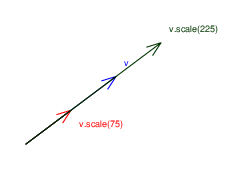
scale(mag)returns a new vector, pointing the same direction as the original, with the magnitude you asked for. Stretching or shrinking a vector without changing its direction turns out to be useful all the time--for example, if you want something to move at a constant speed, no matter which way it's headed.
-
normalize()is justscale(1)--it returns a vector pointing the same direction with a magnitude of exactly 1. A magnitude-1 vector is called a unit vector, and it's a handy way to represent a pure direction, with the "how far" part stripped away. -
dot(other)computes the dot product of two vectors,self.x * other.x + self.y * other.y. That formula might not look meaningful yet, but here's the geometric idea: the dot product tells you how much two vectors point in the same direction. It's large and positive when they point the same way, zero when they're perpendicular, and negative when they point opposite ways. -
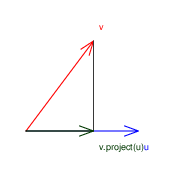
project(other)answers the question: "how much of this vector points inother's direction?" Imagine shining a light straight down ontoother, and looking at the shadowselfcasts on it--that shadow is the projection.
All these figures are pixelated. Re-export as SVGs. Ensure that variable names are consistent in figure and the text.
In the figure above, v.project(u) is the vector's shadow along u. We'll use exactly this idea
later, when we build billiard-ball collisions: splitting a ball's velocity into the part heading
straight at the other ball (which the collision affects) and the part perpendicular to that (which
it doesn't).
💻
Implement mag, scale, normalize, dot, and project, then run the tests
again.
Simulations
Now that we have expanded the capabilities of Point and Vector, we can use them to create
simulations of real-world motion. We experience time as continuous, a smooth flow from then
to now. However, simulating the continuous movement of objects requires calculus, which you
probably haven't studied yet. So we can borrow an insight from animation: if you show people a
bunch of still frames in quick succession, they perceive continuous motion.
Our simulations (and our games later in this unit) will use the tick model, where we treat time as moving forward one "tick" at a time. Each tick, we'll calculate the new position of our objects.
Let's see how this works. Open simulation/ball.py:
First, show init, explaining what acceleration, velocity, and position are, and emphasizing their instantiation as Vectors and a Point. Assume the semantics of
+=are already clear-- focus on points, vectors, and their usage for the simulation. Then go on to update.
def update(self):
self.velocity += self.acceleration
self.position += self.velocity
self.acceleration = Vector()Look closely--self.velocity += self.acceleration is short for
self.velocity = self.velocity.__add__(self.acceleration). This is the exact __add__ method you
wrote earlier! Acceleration is a change in velocity, so we add it to the velocity; velocity is a
change in position, so we add it to the position. Once we've used the acceleration for this tick,
we reset it to zero--any forces acting on the ball will build it back up again on the next tick.
💻
Open sim_motion.py. Add a few Balls with different starting positions and
velocities (check the comment at the top of the file for Ball's constructor), then run it:
Drop the Constructor language. Instead, provide one ball and have students add more.
python sim_motion.pyThere's no gravity or collisions yet, so nothing will affect the balls' velocities--each will just drift forever in a straight line.
Gravity and collisions
You may have run into Newton's second law before: F = ma (force equals mass times acceleration),
usually rearranged as a = F / m. In other words: add up the forces acting on an object, divide by
its mass, and you get its acceleration--which the tick model above already knows what to do with.
So all we need to simulate a new kind of force is a function that calculates it as a Vector.
Rephrase the previous paragraph assuming they have not seen this law before.
Here's gravity, from simulation/gravity.py:
def get_gravity_force(a, b, g):
a_to_b = b.position - a.position
distance = a_to_b.mag()
force = a_to_b.scale(g * a.mass * b.mass / (distance * distance))
return forcea_to_b is a Vector pointing from a to b--notice that's just Point.__sub__, the method you
wrote earlier. Its magnitude gives us the distance between the two objects. Gravity gets stronger
with bigger masses and weaker with distance--specifically, weaker with the square of the distance,
the same "inverse square" pattern you'd get spreading light or sound outward over a growing sphere.
scale turns that strength into a Vector, pointing from a toward b.
Collisions are trickier to derive, but the pattern is the same: work out the physics, express it
with Point and Vector methods, and let the tick model animate the result. When two balls
collide, simulation/collision.py uses project to split each ball's velocity into two parts: the
part heading straight at the other ball (which the collision changes) and the part perpendicular to
that (which it doesn't)--exactly the shadow-casting idea from the projection figure above.
💻
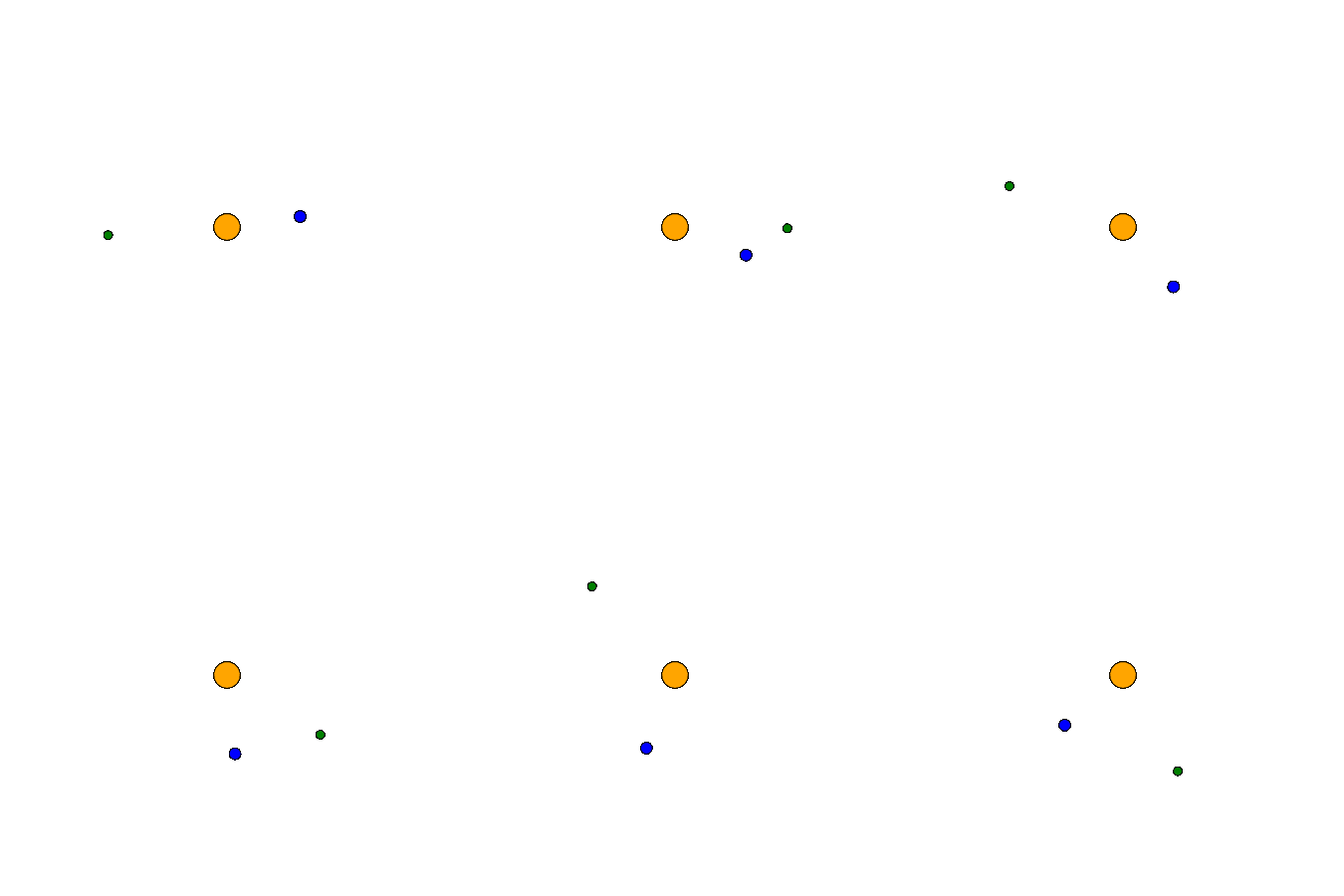
Open sim_gravity.py. Add a massive Ball to act as a star, then add a few
lighter ones with enough sideways velocity to orbit it instead of falling straight in. Run it with
python sim_gravity.py. Here's an example of what it might look like:
💻
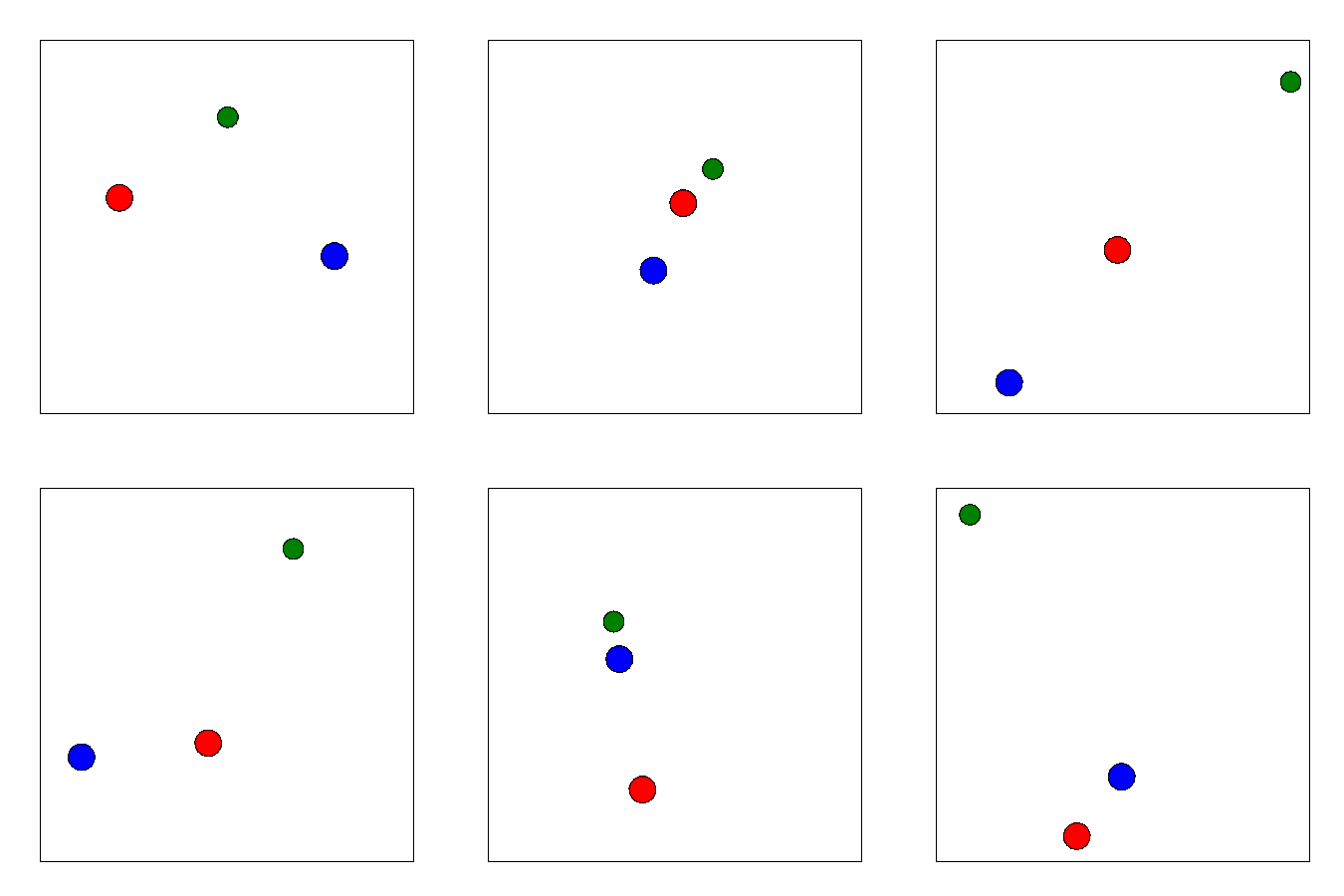
Open sim_collision.py. Add a few Balls on a collision course and run it with
python sim_collision.py. This one has walls, so your balls will also bounce off the edges. Here's
an example:
💻 Finally, run the two simulations we built for you:
python sim_billiards.py
python sim_solar_system.py
sim_billiards.py racks up a triangle of balls and breaks them with a cue ball, just like real
billiards. sim_solar_system.py is the simulation from the very top of this lab--a star and three
planets, held in orbit by nothing but gravity, the tick model, and the Point and Vector methods
you wrote.